Parking In Paphos
Published 15th of August, 2025
Select E Wallet
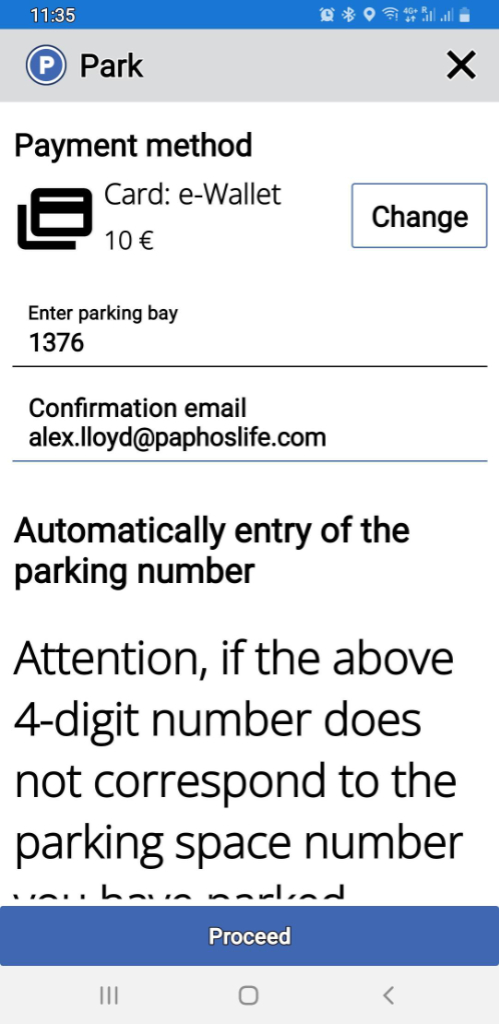
Select eWallet as payment method, and enter the Parking Bay.
Booking Summary
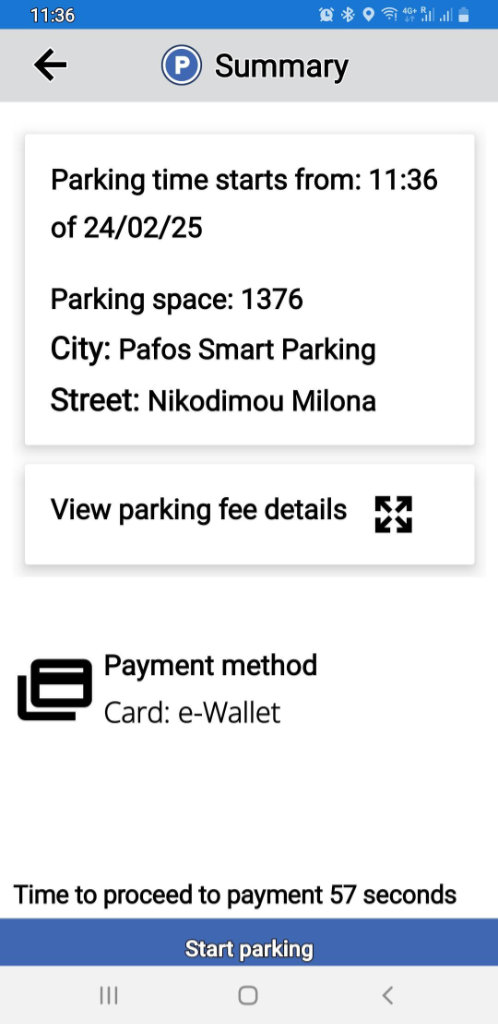
You now get a summary of your parking information. Note that you didn’t have to specify the length of your stay. Once you are happy with the info, click the START PARKING button.
Parking Is Active
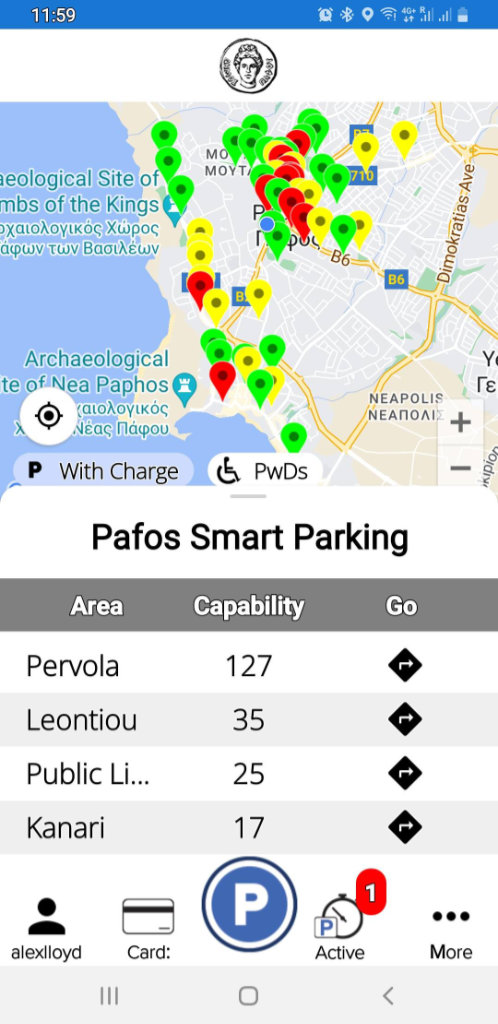
You now have an active parking spot. You can click on ACTIVE at any time to see the remaining time you have.
OnGoing Parking Management
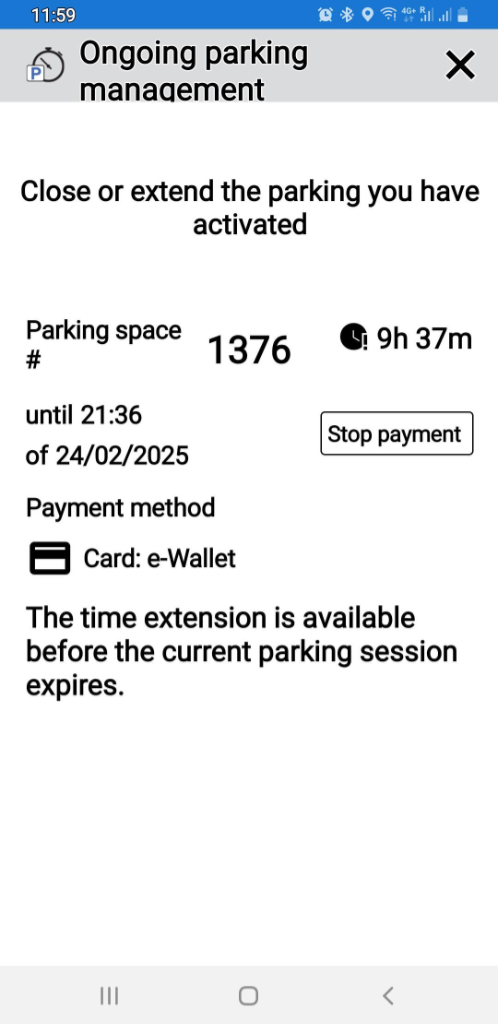
This shows the time you have remaining. When you are in your car and about to drive off, you need to click that STOP PAYMENT button. Then, and only then, will the app stop taking money out of your ewallet.
Handy Summary
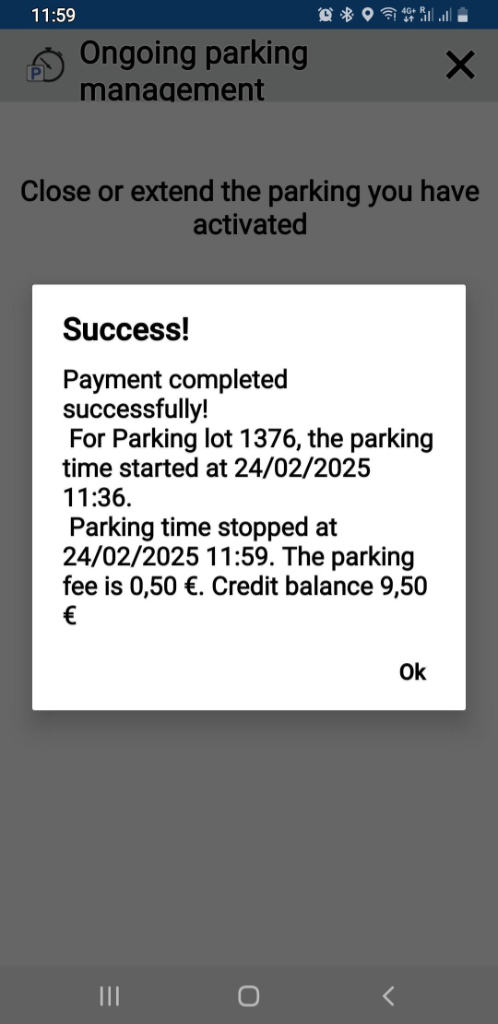
When you do that, you will get a handy summary showing how much you were charged for parking, and how much is left in your ewallet.
Page 3 of 4
If you like our blogs and the rest of our content, please consider slinging us a few euros to help us produce more content. Use the
Coffee link below if you feel so inclined. Payments are taken on a secure gateway, with no contact!❤

Related Blogs:
Related Pages

MapParking In Paphos
A lot of parking in Paphos is free, but in some instances you have to pay, and in this article we explain how to use the online app or pay vis SMS.
Good Pages To Visit

FB PagePaphos Life on Facebook
Like us on Facebook and stay notified of new blog posts.

FB PageOur Facebook Chat Group
Paphos Chat has been created for people who like our site and want to chat using Facebook. You can also easily upload photos of any size here. A lot of people are members of the Facebook chat group and the main forum. It's entirely up to you.

ListBlog Locations
Planning a day out? Then use our map of blog locations as a handy guide. Some of the places we visit our closer to each other than you might think, so take a look and start planning your next adventure...
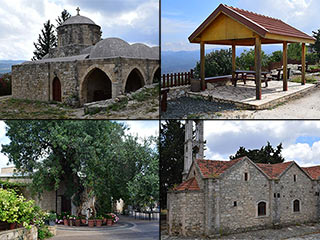
eBookCyprus Road Trip 01: the Kathikas - Panagia Loop
Let me take you on a journey around the region of Paphos, Cyprus. Starting at Paphos itself, we travel to Akoursos, then Kathikas, Kritou Terra and Simou. We continue past Lasa and Kannaviou, before taking in the delights of Panagia. Getting a bit more adventurous, we visit the abandoned villages of Statos and Agios Fotios, before passing through Choulou, Letymbou and Polemi, and rejoining the main Paphos - Polis road.
The route is suitable for all types of vehicle, and requires no off-roading. The guide contains about 130 photographs including shots of all the road signs you need to pay attention to, as well as some of the highlights you may experience along the way.
There are also several maps which will help you keep your bearings.
You can do this journey in a day, or you can break it up into chunks. You can also do it in reverse, to get some completely different views. It is entirely up to you.